Text Reminder Opt-In
Church Worship Planner · Effective September 2, 2026
This is a published copy of a form inside the app, not the form itself. The real one is at Settings → Notifications in your church's own site, which requires you to be signed in. This page reproduces it word for word so that anyone — a member deciding whether to opt in, or a carrier reviewing our messaging program — can read exactly what is asked and agreed to without needing an account. Nothing on this page submits anything.
Before either step
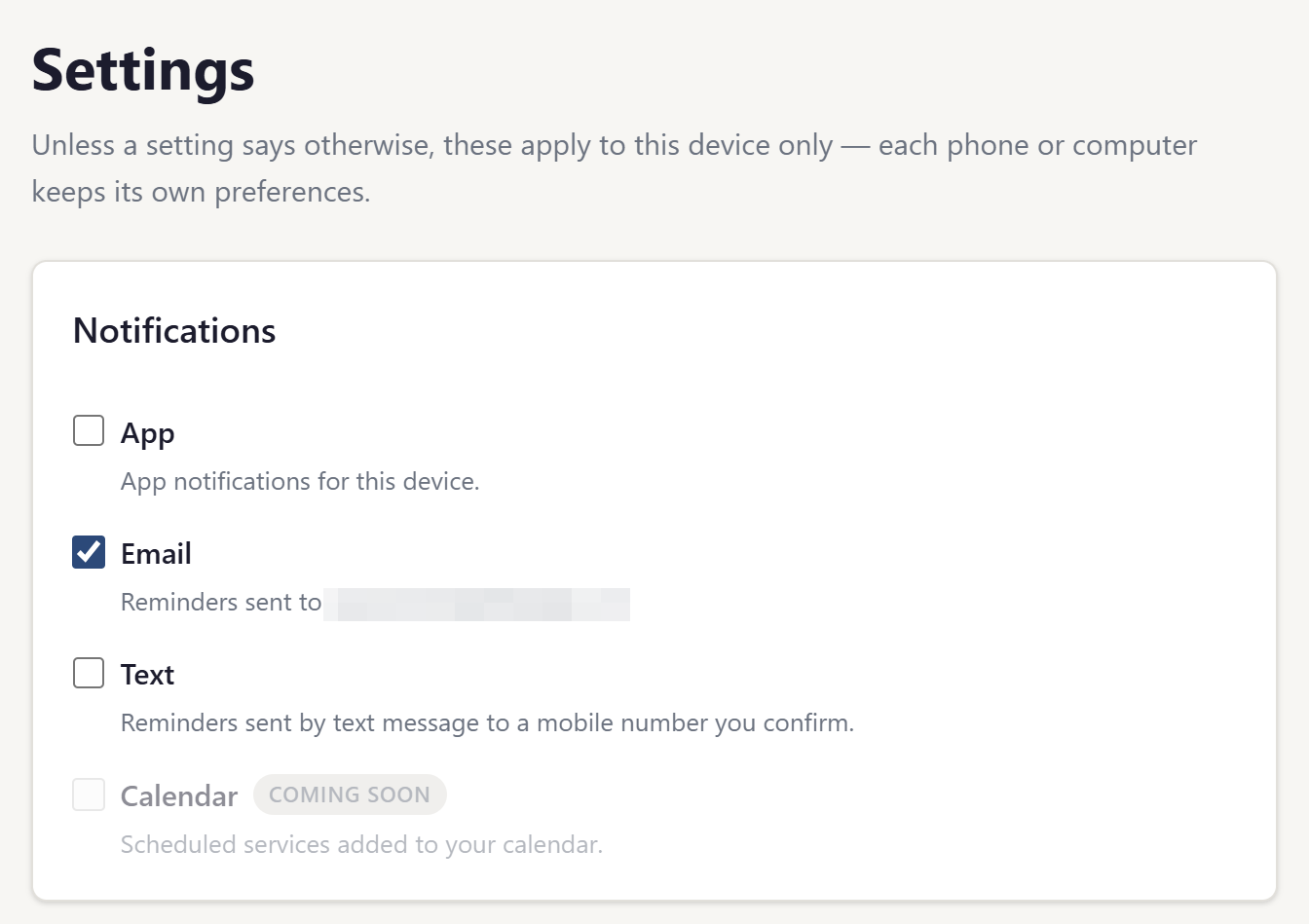
Text reminders are off by default. A member arrives with the box below unchecked and no phone number on file. Nothing is sent to any number until that member completes both steps below themselves. A church leader cannot switch text reminders on for someone else, and a phone number held in a church's member directory is never texted — only a number its owner separately entered and confirmed here.
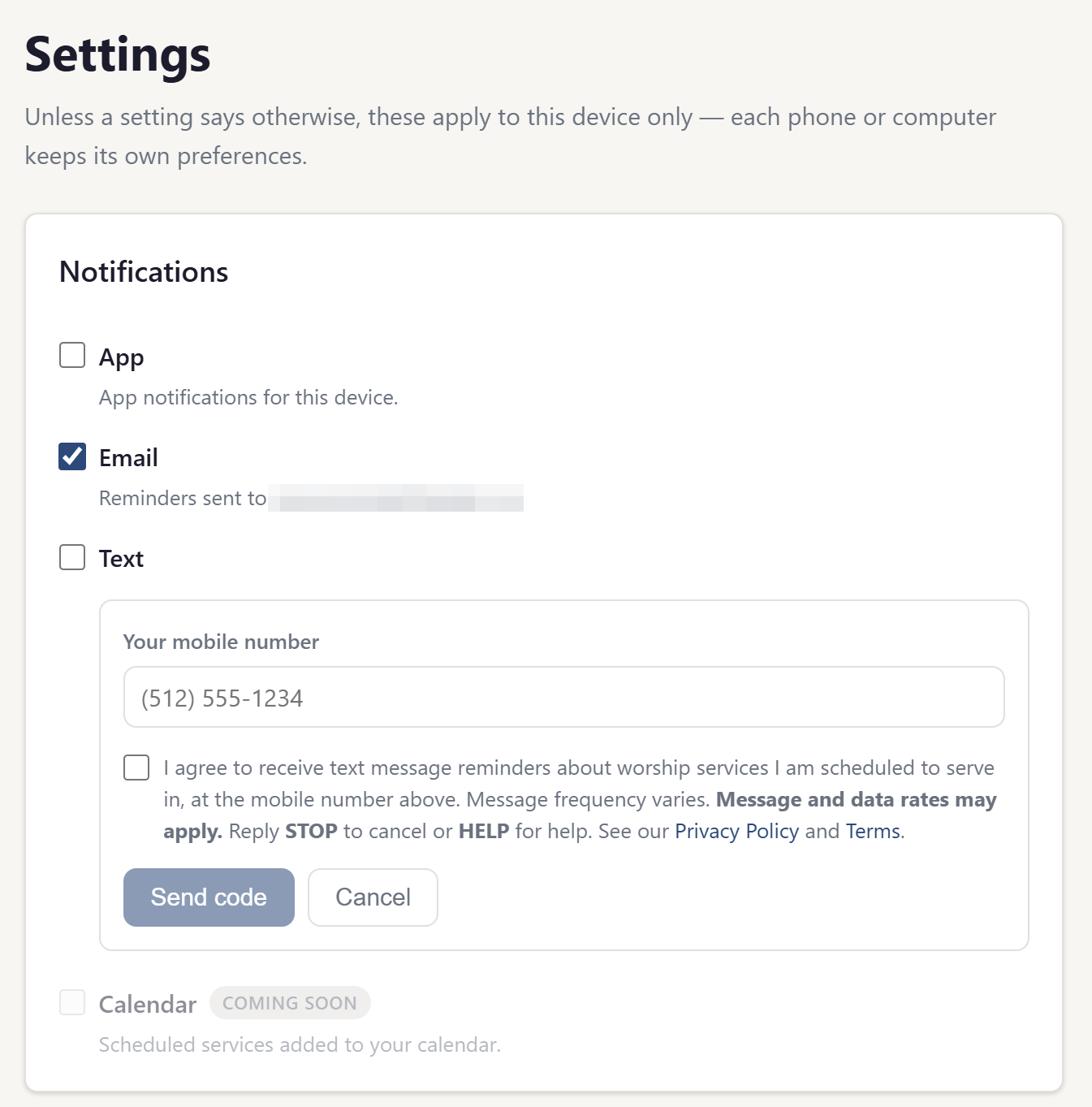
Step 1 — the number, and the agreement
Checking the “Text” box opens this form. The member types their own mobile number and must separately tick the consent box before the “Send code” button does anything.
Step 2 — proof the number reaches the member
Church Worship Planner then texts a one-time code to the number given. Until that code is typed back in, the number stays unconfirmed and no reminder is ever sent to it.
Only after that code is confirmed do reminders begin. The single message sent during this step is the confirmation code itself, and it is sent because the member asked for it by pressing “Send code”.
The same two steps, in the app
These are the screens above as a signed-in member sees them, captured from the running application.
Stopping them
Replying STOP to any message ends the texts, and that opt-out is honoured even if the same number is submitted again later. A member can also switch the channel off at Settings → Notifications at any time, which never requires contacting anyone. Reply HELP for help.
The full description of the program — what the messages say, how often they arrive, and who sends them — is on the Text Message Program page.
Contact
Questions about this document can be sent to cameron@churchworshipplanner.com.