Text Message Program
Church Worship Planner · Effective September 2, 2026
Church Worship Planner sends optional text-message reminders to church volunteers about worship services they have personally been scheduled to serve in. This page describes that program.
These messages are reminders only. We never send marketing, advertising, promotions, fundraising appeals, or solicitations by text, and churches using our software are prohibited from doing so through it.
How you opt in
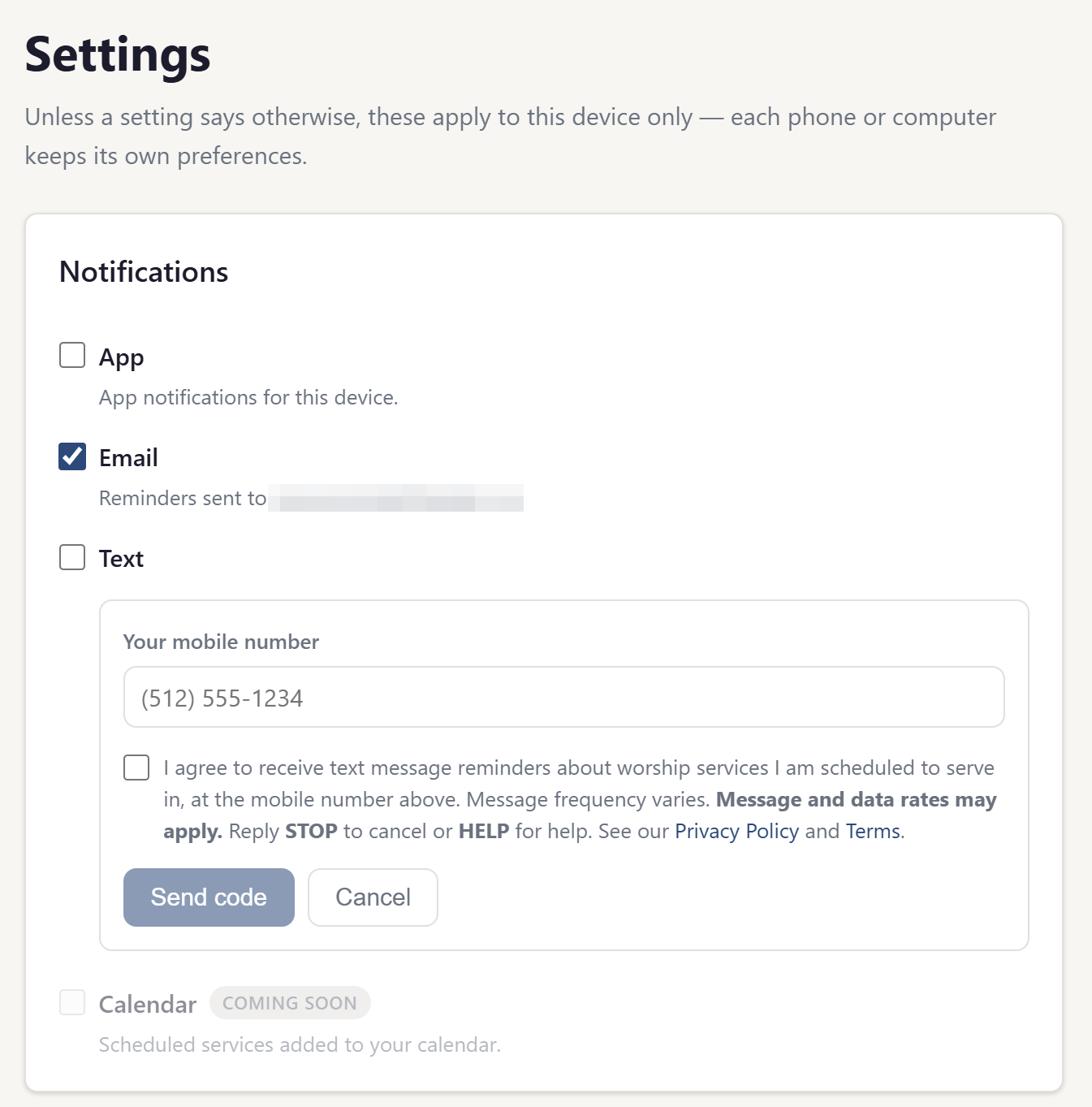
Text reminders are off by default. No message is ever sent to a number that has not been entered and confirmed by the person who owns it. To turn them on, a signed-in member takes every one of these steps themselves:
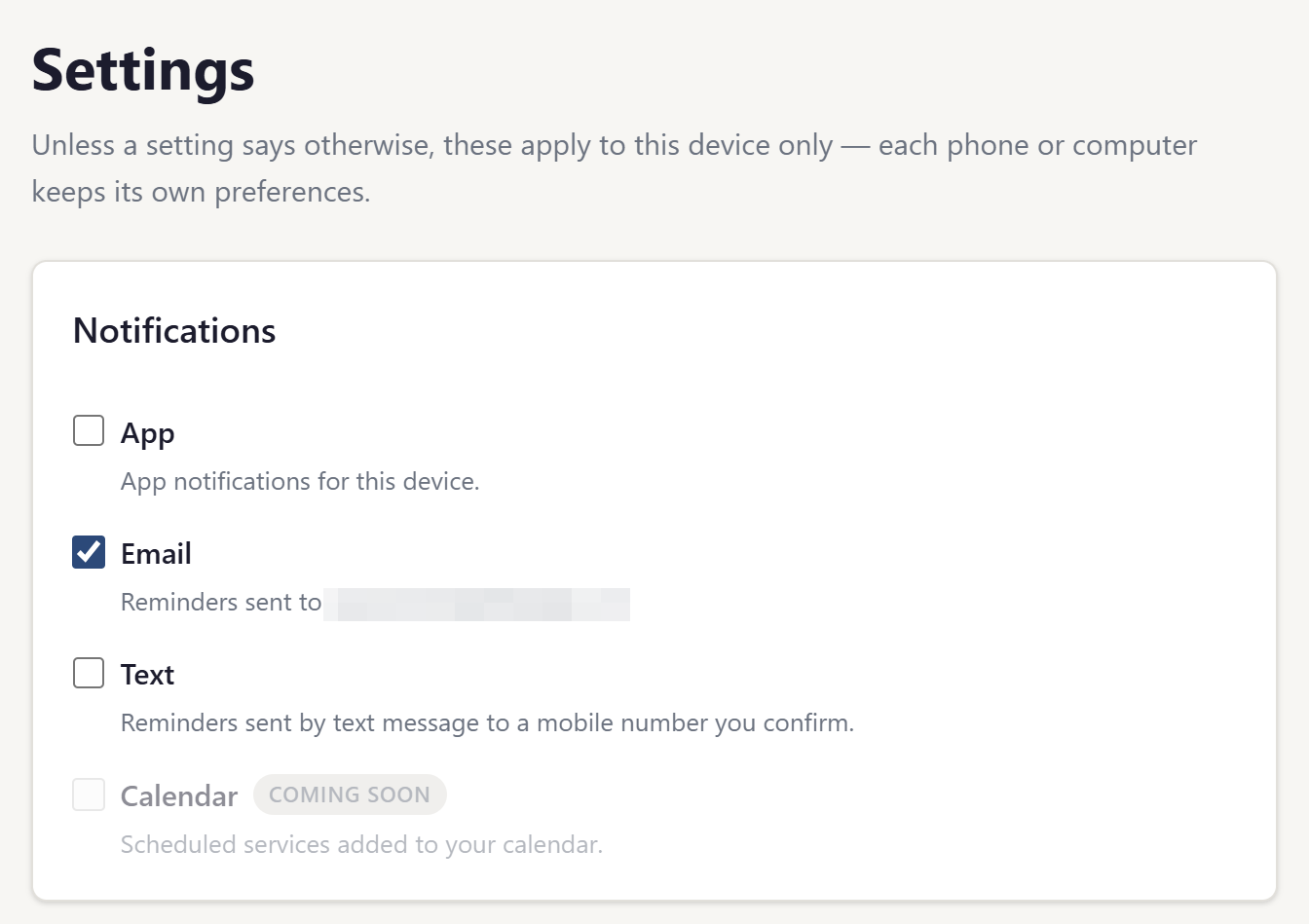
- Opens Settings → Notifications in their church's site.
- Checks the box for text reminders and enters their own mobile number.
-
Reads the disclosure shown at that moment, which states that they will receive service reminders at that number,
that message and data rates may apply, and that they can reply
STOPat any time to end them. - Receives a one-time confirmation code at that number and enters it back into the app, proving the number belongs to them.
Only after that code is confirmed do reminders begin. A church leader cannot switch text messages on for someone else, and a phone number listed in a church directory is never texted — only a number its owner separately entered and confirmed for this purpose.
The form itself is published at Text Reminder Opt-In, reproduced word for word from the app, so the disclosure a member agrees to can be read in full without an account.
What you receive
A short reminder naming the service you are scheduled for, when it is, and the role you are filling. Sample messages:
Test Church: 8/9 - Leading Singing for Wednesday Evening service. Reply STOP to opt out.Test Church: 8/13 - Sound Booth for Sunday Morning service. Reply STOP to opt out.
Each message begins with the name of your church, because that is who scheduled you and who you volunteered with. Church Worship Planner operates the messaging service and sends these reminders on behalf of the churches that use its software, so every church's reminders arrive from the same number. That is why the church name appears in the message itself — it is how you tell which congregation is asking.
How often
Only for services you are personally assigned to. Each volunteer chooses their own reminder schedule — for example two weeks, one week, and two days ahead — up to three reminders per assignment. Most volunteers receive a few messages per month; someone who serves rarely may receive none for weeks.
Cost
We charge nothing for these messages. Message and data rates may apply depending on your mobile plan and carrier.
How to stop
Reply STOP to any message and you will receive no further texts from us. You will get
one confirmation that you have been unsubscribed, and nothing after that. You can also turn text reminders off at
any time under Settings → Notifications in your church's site — turning them off there never
requires contacting anyone.
Because every church's reminders come from the same number, replying
STOP ends text reminders from Church Worship Planner entirely. If you volunteer at more than one
congregation, that includes all of them. To stop texts from just one church while keeping the others, turn them off
under
Settings → Notifications
instead.
Reply HELP for help, or email us at
cameron@churchworshipplanner.com.
Opting out of texts does not affect your account, your schedule, or your email and in-app reminders — only the text channel is switched off.
Carriers
Mobile carriers are not liable for delayed or undelivered messages.
Your information
A mobile number given for reminders is used only to send those reminders. It is not sold, and it is not shared with third parties or affiliates for marketing or promotional purposes — it is disclosed only to the messaging provider that delivers the message on our behalf. See our Privacy Policy and Terms of Service.
Contact
Questions about this document can be sent to cameron@churchworshipplanner.com.